4.11 Update
Major changes were made for iolite 4.11 that affect python-based plugins and external resources. Read on to find out how these changes may affect you.
3rd Party
Two critical 3rd party libraries used by iolite were updated for version 4.11, marking the first major upgrade to these libraries in nearly 5 years. Due to these changes, platform compatibility is now:
Operating System |
Version |
Architecture |
|---|---|---|
Windows |
10 (1809) or higher |
x86_64 and translated arm64 |
macOS |
13 (Ventura) or higher |
x86_64 and native arm64 |
Qt 5 to Qt 6
Qt is the framework we use to create cross-platform user interfaces, among other things. For this release we are upgrading from Qt 5.15 to Qt 6.10. A lot has changed under the hood in Qt 6, but for the most part, the things you might use in your python-based plugins for iolite (e.g., Qt Widgets) remain the same.
Some things you might notice are:
Better platform integration. E.g., on Mac some dialogs will look more natural.
Some obsolete, modified, or added classes and methods. E.g., QCheckBox's stateChanged signal is now checkStateChanged.
You can find a list of now obsolete classes and class members here: https://doc.qt.io/qt-6/obsoleteclasses.html.
Python 3.8 to Python 3.13
Our embedded scripting environment has been upgraded from Python 3.8 to Python 3.13. This brings performance improvements and modern language syntax.
Notable New Language Features
Pattern Matching: You can now use native match and case statements for structural control flow.
Enhanced Error Feedback: If your script encounters a runtime error, the console will now report the exact variable or function that caused the issue, along with "Did you mean?" suggestions for typos.
Modern Typing: You can now use standard collections (list, dict) for type hinting, and the | operator for Union types (e.g., str | int).
Breaking Changes & Code Cleanups
Removed Standard Libraries: Python 3.13 has officially removed several obsolete modules. If your scripts rely on distutils, cgi, or cgitb, you will need to refactor them using modern alternatives (like setuptools). Notably, this breaks a script we provided that could install a package by name via iolite's user interface.
Strict Type Checking: Certain implicit conversions in the standard library are now stricter. Ensure data types passed to mathematical functions or file operations closely match expected signatures.
Python Packages
Dozens of python packages are shipped with iolite to support writing your own plugins. Almost all of those have been upgraded. The table below summarizes the previous and new versions of key packages.
Package |
Old version |
New version |
|---|---|---|
numpy |
1.21.0 |
2.4.6 |
scipy |
1.7.0 |
1.17.1 |
matplotlib |
3.4.2 |
3.10.9 |
scikit-learn |
0.24.2 |
1.9.0 |
statsmodels |
0.12.2 |
0.14.6 |
pandas |
1.2.5 |
3.0.3 |
From our experience updating iolite's bundled python scripts, the changes required to get scripts working with Qt 6, Python 3.13, and the updated python packages were usually minimal. If you have scripts that you're having trouble updating, please contact support@iolite-software.com for assistance.
Resources
iolite uses several external resources, like reference materials, data reduction schemes, and other plugins. We want to make these files visible, so users can see how they work, make modifications, and share them, but we also face frequent support issues with paths not being correct and/or these files not updating when iolite updates.
This update changes the way we handle external resources. Previously, when you first ran iolite, you would select a path for these files to be extracted to. Then, when running a new version of iolite, it would ask you which of these files you wanted to update. This approach posed a number of problems, but most notably: 1) Sometimes users would select folders that they could not write to (e.g., in Program Files), and 2) Sometimes users would skip updating these files when running a new version. This would result in errors when starting iolite, and/or issues running certain features of iolite. Starting with version 4.11, we now always extract all of the embedded resources to the folders listed below. This ensures that we always have a writable path with up-to-date resources.
Note
The first time you run iolite 4.11 your paths will be set to those listed in the table below.
Reference materials are handled differently because they are more frequently customized. If we detect that you have additional or modified reference materials, we will not update your reference material path automatically. Similarly, future versions of iolite will not automatically replace reference material files unless their content matches exactly a previous version that we have shipped.
Platform |
Path |
|---|---|
Windows |
C:/Users/[username]/AppData/Local/iolite-software/iolite4 |
macOS |
/Users/[username]/Library/Application Support/iolite-software/iolite4 |
Note
If you modify a script in these resource paths, the changes will be overwritten when running a new version of iolite for the first time.
What to do if you want to customize things
If you're not modifying the files we supply and just adding files, you can keep the paths as their default. Your added files will be left alone and our files will be updated automatically with each release.
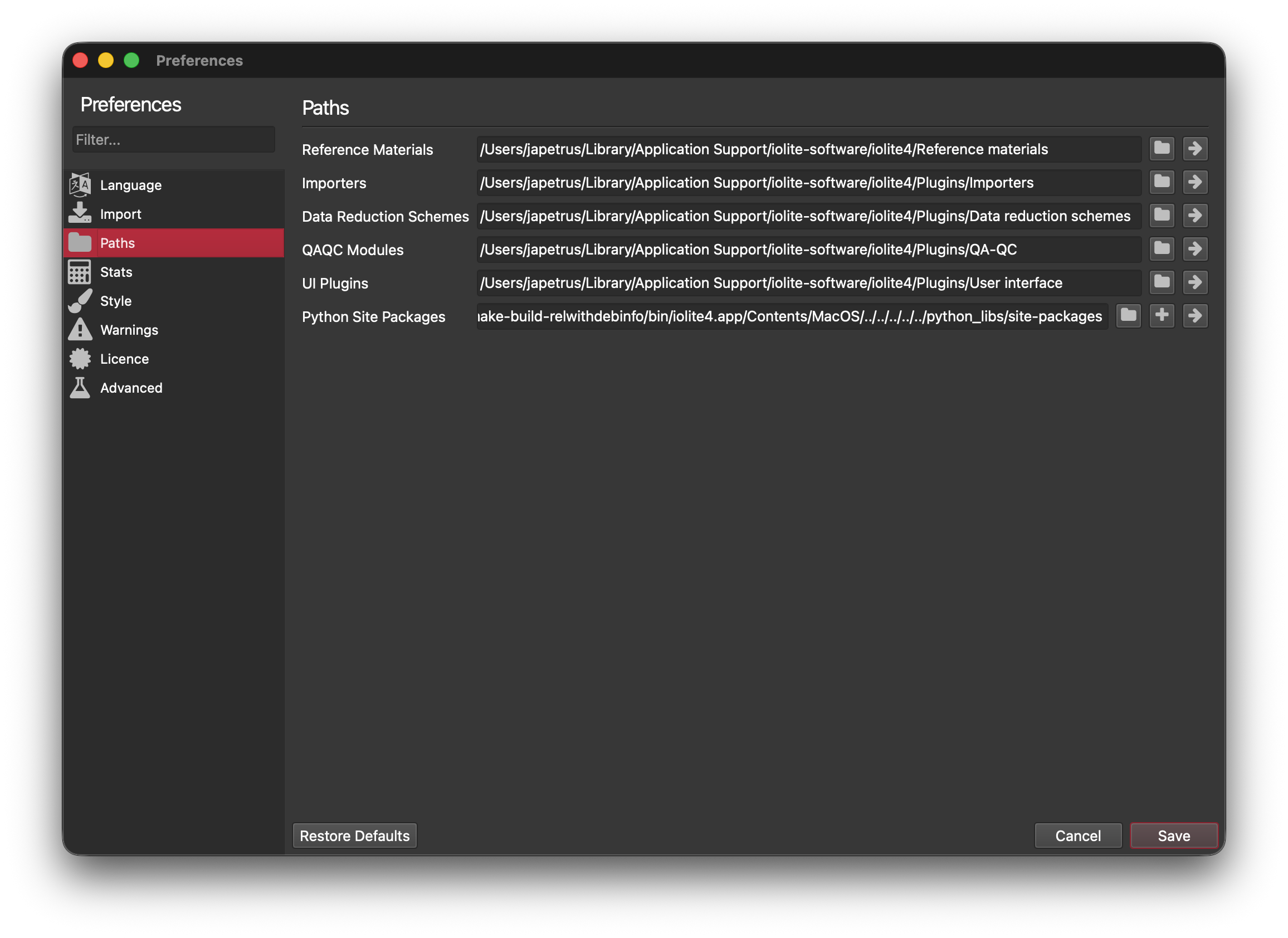
If you want to modify the files we supply, you should copy the files to a different location and go to the paths section of the preferences and update the relevant path(s). This way, when the new version of iolite runs, we will not overwrite any changes you've made.
If you want to revert to the files that we ship with iolite, you can point the paths back at the appropriate subfolder of the paths listed above. Alternatively, you can hold down shift while iolite starts to reset the paths to their default (along with a few other settings).
Architectures
Some people have noticed with recent versions of macOS that a popup would display if you were running iolite 4 on an Apple Silicon powered Mac.
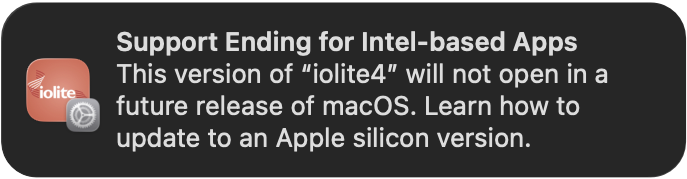
You are seeing this popup because older versions of iolite 4 on macOS were built for the Intel (x86_64) architecture but were running on Apple Silicon (arm64) via Apple's translation layer called Rosetta 2. Although this technology works very well, Apple is now phasing it out.
With version 4.11 of iolite we are providing separate Apple Silicon and Intel builds of iolite 4 for macOS to avoid this popup and in preparation for a future where Apple completely removes Rosetta 2. In our testing there is minimal if any performance improvement.
When iolite < 4.11 updates to iolite 4.11+ it will initially remain on the Intel build. A subsequent update will switch to the appropriate architecture for your computer. If you would like to switch the architecture manually, you can download the desired disk image from https://iolite.xyz/download/latest.